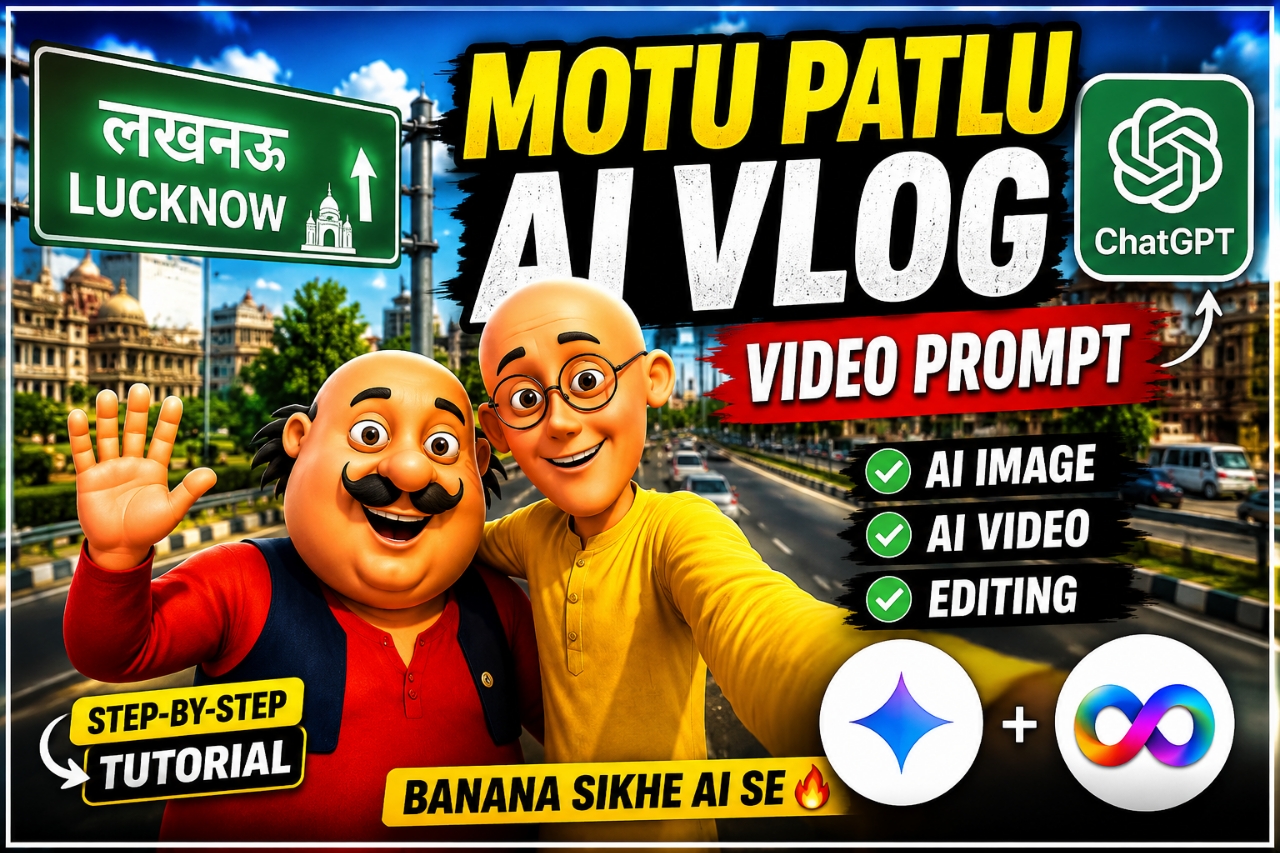
So friends, right now the videos of Motu Patlu are going viral all over Instagram. People are getting Motu Patlu to make a vlog of their village just like we make a video using some AI.And whatever he wants to say, he says it. Similarly, now you can make Motu Patlu say whatever you want, in whatever way you want, and you can create all this with the help of AI tool and promptly. And I will tell you some steps absolutely free, you follow them and every step has been explained in this post, you can also make the complete liker by reading this article, you read the article and understand it. And this is very much in trend at this time and everyone’s video is going viral.Below I will explain you in details.
Motu Patlu Ai Vlog Video Editing Prompt
So I will tell you in detail that this Motu Patlu video editing app is easy or not.See, Motu Patlu is a very old and famous cartoon which every child in India has seen and likes, now let me come to the topic. Moti Patlu AI Video Editing Prompt A vlog video made with AI and I will also tell the process of making it and will also give its prompt in this post and as I have just told you above Everyone likes the Motu Patlu cartoon. When you hear and see your village, town and even your name in the voice of Motu Patlu, not only you but everyone will like it. And someone else would like to make such a video of their own and to make this type of video, first you will have to generate a photo and we will generate the photo from Chatgpt.
What do you need to Create this video ?
So friends, let me tell you what all things you will need to make such trending Motu Patlu vlogs videos. If you want to get this type of viral AI Motu Patlu to call out the name of your village or town or your name, then first of all you will need a good script which you will find on my similar website. And the second thing is that you will have to make a photo of your town village behind Motu Patlu, for that you need a prompt which you will get below, I will also tell you the process of how you can do it.
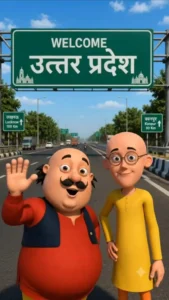
Use the uploaded image as the exact character reference. Keep the same character, face, clothes, and original art style. Create a modern highway scene where the character stands smiling below a large green Indian highway welcome billboard. The billboard reads: WELCOME [Azamgarh/Uttar pardesh] Use realistic Indian expressway details, vehicles, trees, blue sky, cinematic lighting, vibrant colors, centered composition, ultra-detailed, 8K, vertical 9:16.
How to Create Image ?
To make Motu Patlu AI vlog photo, follow the steps given below and create it.
- First of all you have to copy the prompt given by me above and download the image.
- Second of all you have to download Chatgpt from Play Store by clicking on create image.
- And after that you have to sign up with Google Gmail.
- Now you have to paste the downloaded photo and copy prompt and send it.
- And after a few seconds the image will be ready, you have to download it.
How to Create Ai Motu Patlu Vlog Video ?
So now, I will show you how to generate a video from an image using Flow, step-by-step with screenshots.
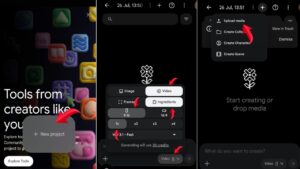
- First of all you have to copy the video prompt given below.
- After that, click on the Create Video button and sign up in Flow AI with Gmail.
- And after clicking on the new project, click on the nano banana option.
- Then, by looking at the screenshot given above, select the setting and add the photo video prompt and send it.
- Then in a few seconds the video is ready, now click on the download option and download the video.
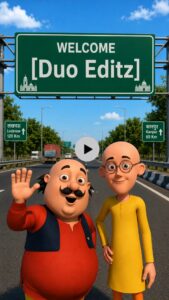
VIDEO PROMPT :-Characters: [Motu Character 1], [Patlu Character 2],Use the uploaded image as the exact character reference. Keep the same character(s), appearance, and original art style. Animate only the character(s) with realistic lip sync, natural facial expressions, eye blinking, head movement, and hand gestures while speaking in Hindi [Motu Charcter 1]हैलो दोस्तो हम आ गये है उत्तर प्रदेश में Azamgarh VM Editor के पास [Patlu CHARACTER 2] अब बताओ up वालों [Motu Charcter 1] हमे आपके किस शहर या गांव में आना चाहिए [Patlu CHARACTER 2] कॉमेंट में आपने शहर या गांव का नाम अभी लिखो हो सकता है अगला वीडियो आपके शहर या गांव में हो
Let me tell you about Flow. What is Flow?
Flow AI is a video generating tool in which you can generate all types of AI videos and this is a part of Google which is also called Google Flow AI, in this you can generate image to video text video You can make any kind of AI video and this is a completely free tool. With this you can generate at least 3 videos in a day from one Gmail, that means if you have a phone and Gmail then you can make more than 3 videos. You can generate 3 videos from 1 Gmail and it makes it absolutely good and perfect if your prompt is correct then it does not make any such changes in your video Jo video ko karab banaye
Best And free tool for Ai video And Photo ?
See, I am telling you the best app for AI photos and videos on this website, that too for free. First of all, I am telling you some free tools to generate AI photos, free tools for AI photos like Chatgpt Gemini Pixel AI, all these are free tools and will give you high and unlimited photos, now let’s talk about the best AI video tool, that too free, first flow AI, after that Google Gemini also generates videos along with photos for free, you have to do some settings for it, you can watch it from YouTube. And that’s where the free tool for video generation came from. And if I find any other tool, I will update it on this website.
Conclusion –
So friends, in this post I have told you how to make a complete Motu Patlu vlog video. I have explained it in detail, if you have read this completely liked article of mine carefully, then I am sure you will also make such a Motu Patlu Aai vlog video of your village or town. Because I have explained everything in this post, how to get the prompt, how to generate photos, how to generate videos, which tool to use and how to do everything. You go and make it and go viral.