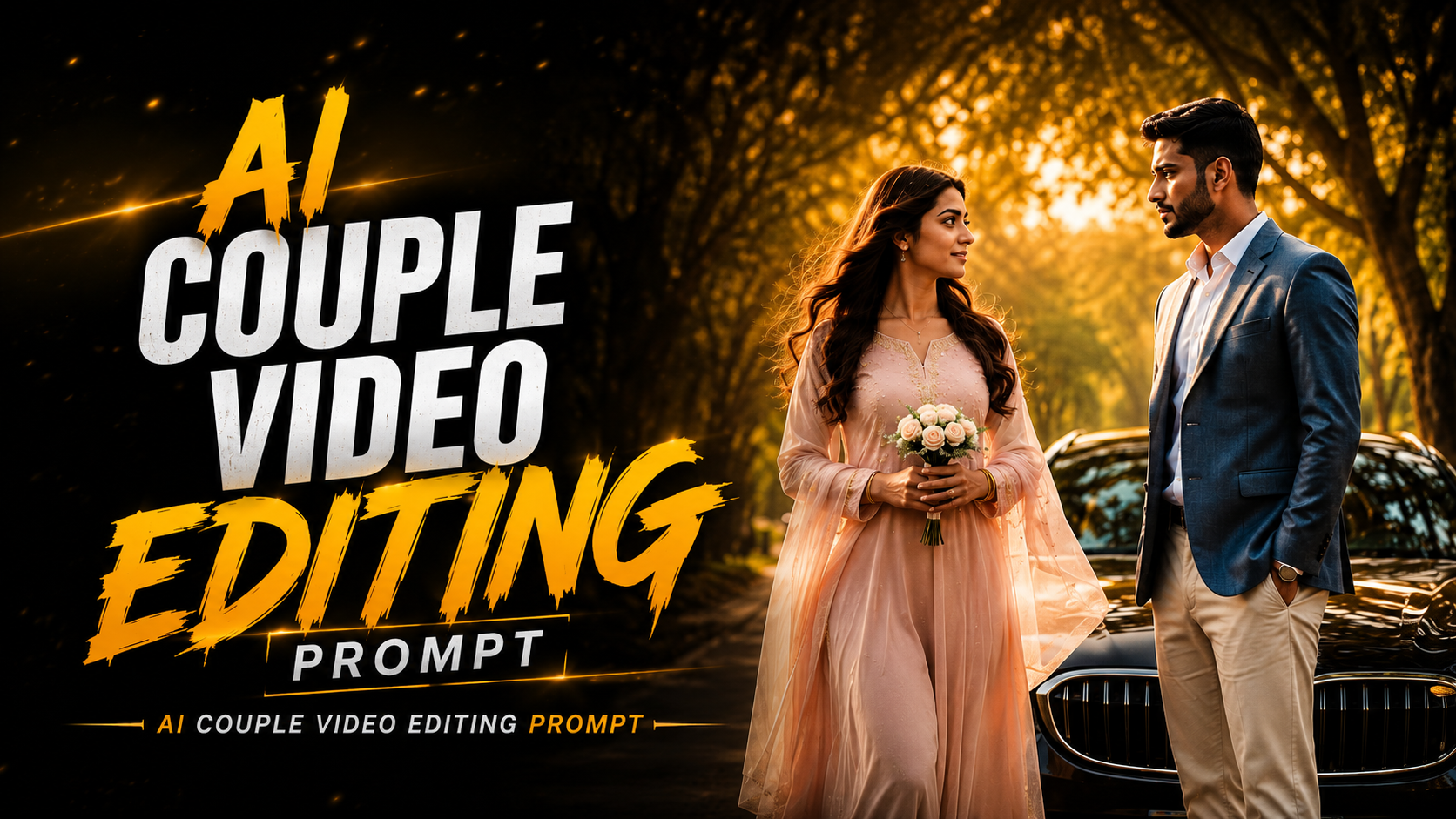
So friends, in today’s post I will tell you about the viral video of a couple trending on Instagram. You must have seen that a girl is coming on the road with flowers in her hand and the boy is looking at her intently. And a car passes between them and such videos look completely realistic and also look very good. But such a video was made with total AI and in today’s post I will give you a prompt and also tell you the full process to make this trending AI couple video. Such videos give full movie scene vibe and these are becoming very viral these days. You can make such videos with your gf, bf, crush, brother, sister, any male or female. For this, you will have to understand this article carefully and follow all the steps mentioned in this post.
Detail Trending Ai Couple Road Scene Video Prompt Edit :-
Ai couple road scene video editing, couples are making this, you can impress your girlfriend or crush by making such videos. And if you make and upload it at this time, then there will be full chance of it going viral because only then the reel becomes viral.When it is trending, you just have to follow the steps given by me. Many couples dream of shooting and editing a video of their amazing love moment on such a real road. But many couples are not able to do this because they do not get that much freedom from their family members. Many people face problems like time or camera quality.But now you will make a perfect video, that too with just one prompt below and I will tell you the process.
Why Do People Love to Create Love Story AI Videos?
As I told you guys above that to make this type of video, you can make such trending love story scenes without using any video editing app or any subscription AI tool. And without wasting any time, you can make a completely professional video with just one prompt and the video is ready. You can capture such viral couple love story moments by doing that too in flow of Aai or Gemini. And whoever is watching it once, is liking this love story video.

Use ONLY the two uploaded photos as identity references. Reference Image 1 = Male, Reference Image 2 = Female. Create one continuous ultra-realistic 4K vertical 9:16 live-action romantic cinematic video (10 seconds). Identity is the highest priority. In every shot restore the male only from Reference Image 1 and the female only from Reference Image 2. Preserve exact face, eyes, eyebrows, nose, lips, jawline, hairstyle, hairline, skin tone, skin texture, age, body proportions and natural appearance. No identity drift, face swap, morphing, beautification, skin smoothing, hairstyle, body or age changes. Male wears the same slate-blue blazer, white open-collar shirt, cream trousers, brown shoes and luxury watch. Female wears the same pastel pink flowing dress with embroidered bodice, long pink dupatta, delicate jewellery and holds a small white bouquet. Use the same glossy black BMW with identical design throughout. Same peaceful tree-lined road at golden hour with no crowd or extra vehicles. Warm cinematic grading, natural skin tones, creamy bokeh, shallow depth of field, realistic reflections and subtle film grain. Scene 1: Male stands beside the parked BMW, checks his watch while the camera slowly pushes in, female appears in the distance. Scene 2: Female hero slow-motion entry, elegant walk toward the male with strong natural wind creating clearly visible flowing hair and flying dupatta while her face always stays fully visible and sharp. Scene 3: Male notices her and looks up naturally. Scene 4: Female cinematic close-up with softly moving hair. Scene 5: Male cinematic close-up. Scene 6: Both meet beside the BMW, male opens the passenger door and female enters. Scene 7: Both sit naturally inside the BMW, male driving and female in the front passenger seat, both faces clearly visible through the glass. Scene 8: The same BMW drives smoothly down the same tree-lined road with realistic wheel motion, suspension and cinematic pull-back. Use natural blinking, breathing, realistic walking, hair physics, fabric movement, hand motion, door movement, entering-car motion and vehicle movement. Negative Prompt: no identity drift, face swap, morphing,reconstructed faces, beautification, skin smoothing, hairstyle, outfit, age or body changes, weak hair movement, hair covering the face, motorcycle, bike, different BMW, duplicate people, extra limbs, extra fingers, broken hands, floating feet, distorted car, cartoon, anime, CGI look, text, logo or watermark.
How to Create Ai Couple Purpose Video Edit?
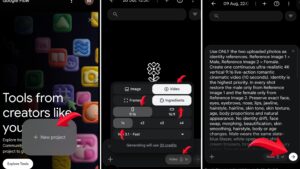
So now, I will show you how to generate a video from an image using Flow, step-by-step with screenshots.
- First of all you have to copy the video prompt given below.
- After that, click on the Create Video button and sign up in Flow AI with Gmail.
- And after clicking on the new project, click on the nano banana option.
- Then, by looking at the screenshot given above, select the setting and add the video prompt and send it.
- Then in a few seconds the video is ready, now click on the download option and download the video.
What is the difference between Gemini and Flow, and which one is better?
So friends, let me tell you which one is the best among Gemini and Flow AI and which one makes the best and in good quality because you can make this trending AI couple video using both the tools. That’s why I’m telling you how to use which one and whether everyone can use both tools. Let us first talk about Google Gemini. By the way, people mostly use Google Gemini only for generating photos and they also know that this is the same. But actually videos are also generated in this, if you have a Jio SIM then only you can get its subscription for free. And you can use the same Flow AI with any SIM, but there is a limit in Flow AI also. You both are right in your own place, it depends on which one you want to use.
Conclusion
I have told you everything, how to get a prompt, how to generate text and videos, everything. And I have told you 2 AI tools for editing this type of AI couple video, one is Flow AI, one is Gemini and I have also told you about both of them. Which one will be able to do it, which one will not, which one is free and which one is paid, you should also make such AI couple videos and impress your crush.